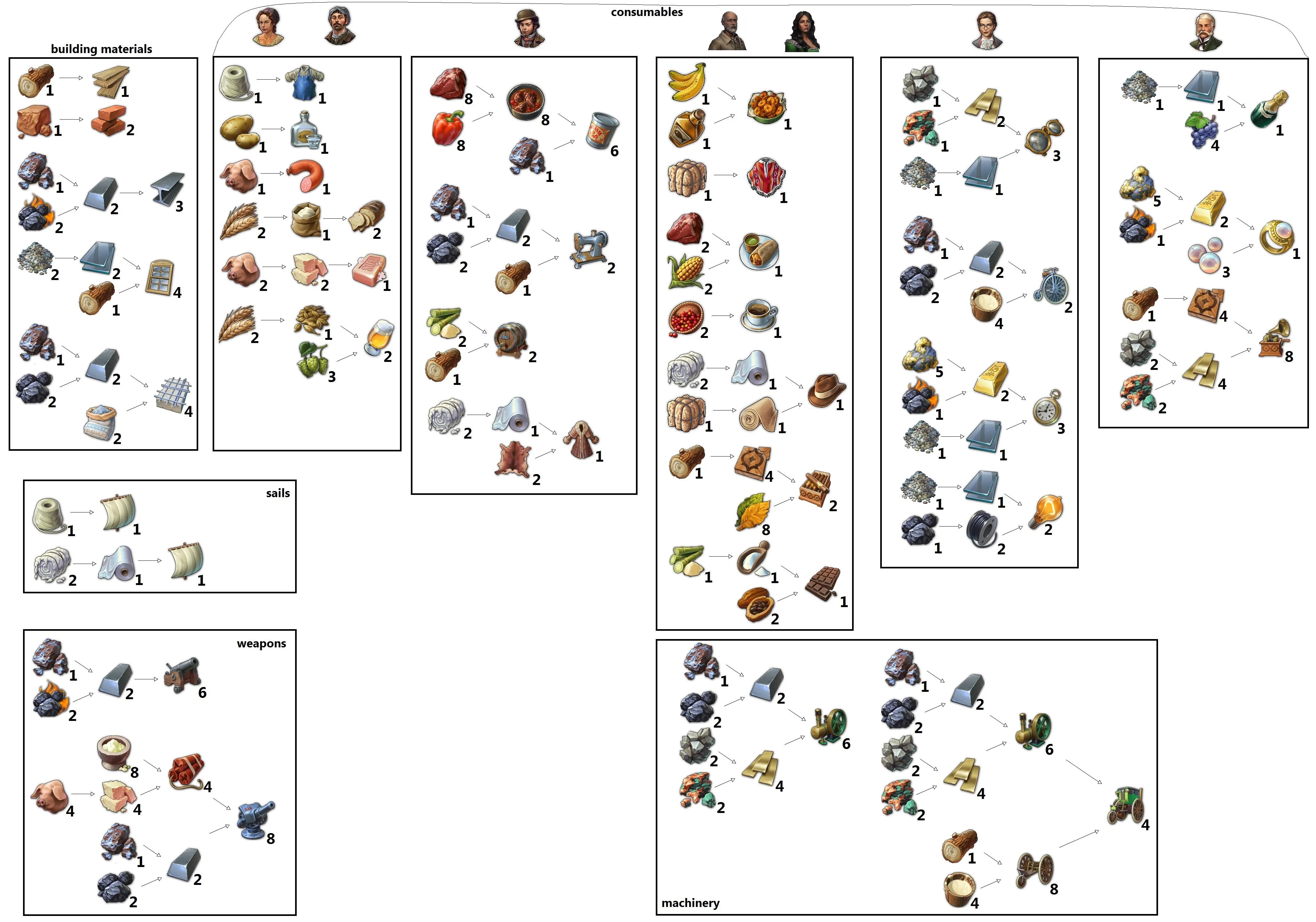
#shamelessy stolen from Reddit 🙂
#shamelessy stolen from Reddit 🙂
Just a little place to keep some handy guides for New World.
The steps are simple:
Right click on Valheim in your Steam library and go to ‘Manage’ and then ‘Browse local files.’
That should bring up a window of Valheim’s game files.
Click on the valheim_Data folder.
Find the file named ‘boot’ or ‘boot.config’ and open it with Notepad.
Add “gfx-enable-gfx-jobs=1” as a separate line at the very top.
Add “gfx-enable-native-gfx-jobs=1” right below the first line.
Save and close the file.
Go back to Valheim in your Steam library, right click and select ‘Properties.’
Add “-windows-mode exclusive” into the launch options field.
Close that window.
Open up Task Manager (press Ctrl + Alt + Delete) and find Valheim under the processes tab.
Right click and select ‘Go to details.’
Right click valheim.exe, select ‘Set Priority’ and change it to ‘High.’
You’ll have to repeat this final step with Task Manager each time you launch the game.
Or go to the related reddit post here
Console commands are activated in-game by pressing tilde [`]to bring down the console command window. Type in the codes below to get corresponded effect.
The in-game console will not work if Ironman Mode is active.
NOTE: “<###>†Indicates a number value. Replace all characters with an amount. Check examples below for details.
Easy Console Commands List
Cash <###>
Adds minerals. Defaults to 5,000. Example – cash 9999
Invincible
Toggles fleet invincibility. Your fleets will not take damage while toggled on. Example – invincible
Research_Technologies
Instantly researches all technologies. Example – research_technology
AI
Toggles AI. Submit code once to disable AI, submit again to enable AI. Example – ai
Society <###>
Adds population to your society. Defaults to 5,000. Example – society 600
Survey
Instantly surveys all planets. Example – survey
Influence <###>
Adds influence. Defaults to 5,000. Example – influence 5000
Debug_Yesmen
Forces all AI to accept any demands from your society. Example – debug_yesmen
Instant_Build
Instantly completes any current builds. Example – instant_build
Finish_Research
Instantly completes all research projects. Example – finish_research